[*]Technical Module
Technical management.
Jobs, equipment, inventory, quotes and purchase orders, surveys and maintenance periods.
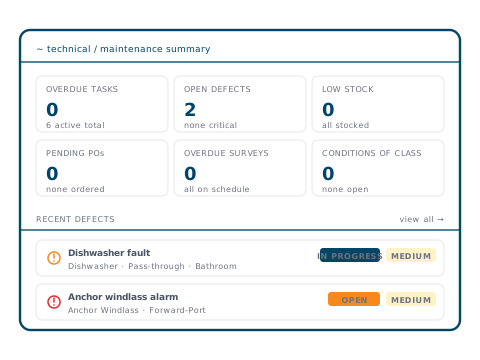
~ what's inside
Five areas.
01 · Jobs
Jobs with cost tracking
Jobs and operational checklists with status, several assignees, overdue tracking, and estimated vs actual cost per job.
02 · Quotes & POs
Quote, accept, order
Supplier quotes held against the job and compared side by side. Accepting a quote raises the purchase order, with approval before it goes out.
03 · Equipment & inventory
Running hours, parts, POs
Equipment register with running-hours tracking that auto-updates job due dates. Parts inventory with low-stock alerts and equipment ↔ spares linking.
04 · Surveys
Class, statutory, findings
Survey schedule with overdue tracking and the Conditions of Class register. Findings convert into jobs; attachments held against the survey.
05 · Maintenance periods
Yard periods, sequenced
Yard periods with sequenced milestones, linking jobs and surveys to a coordinated execution plan.
~ jobs
Jobs with the details.
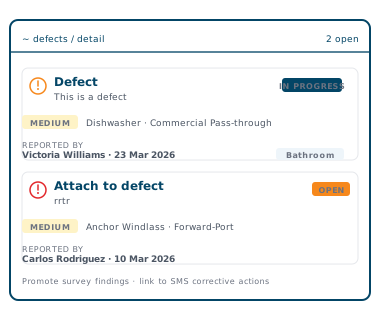
Every job carries its status, equipment, location, assignees and notes. Crew can be @mentioned or follow a job, photos can be marked up on the spot, and short videos attach straight from a phone.
- ✓Status: Pending / In Progress / On Hold / Completed
- ✓Up to 20 attachments per job, photo markup, video up to 50 MB
- ✓Survey findings convert into jobs
~ surveys & class
Survey schedule, findings, attachments.
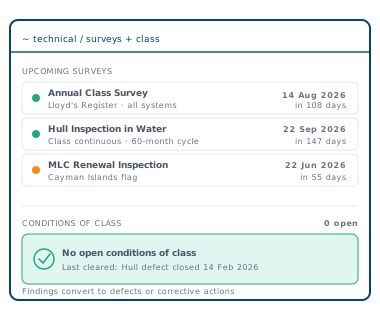
Upcoming surveys with due dates and days remaining. Conditions of Class tracked through to clearance. Findings (Condition of Class, Recommendation, Observation) convert into jobs, and attachments live against the survey record.
- ✓Upcoming class and statutory surveys
- ✓Open Conditions of Class register
- ✓Findings convert into jobs
~ deck plans
The work, on the deck where it is.
Draw your General Arrangement as one plan per deck, free on every vessel. The Deck Plans add-on puts things on them — with a 90-day free trial per vessel.
See everything Deck Plans does →Free
Your decks, drawn
One drawing per deck from the General Arrangement, with zones, frame numbers and a side view.
Add-on
Pinned where the work is
Jobs, equipment, stock, permits to work and survey findings pinned on the deck, with QR labels and rounds. Photos with arrows and notes.
Add-on
Safety Plan and cabins
Extinguishers, life rafts and other safety equipment deck by deck, and who is in which cabin for crew and guests.
~ pairs with
What teams use this with.
~await contact_initiation
See it on your fleet.
A 30-minute walk-through with the team. No slides — the platform on your fleet's data.
Book a demo →