[*]Certificates Module
Vessel certificates.
Vessel certificates organised by section. Status summary, expiry tracking, document storage and per-vessel applicability.
~ what's inside
Five areas.
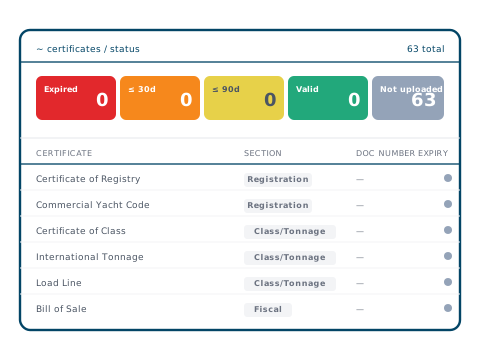
01 · Status
Five status buckets
Expired, ≤30 days, ≤90 days, Valid, Not uploaded — auto-calculated from each certificate's expiry date.
02 · Sections
Regulatory and custom
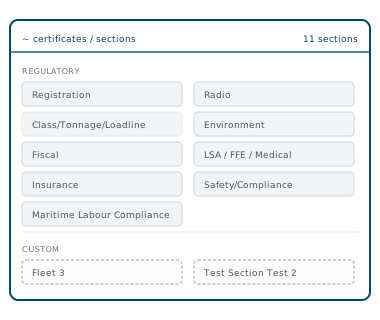
Registration, Class/Tonnage/Loadline, Fiscal, Insurance, Maritime Labour Compliance, Radio, Environment, LSA/FFE/Medical, Safety/Compliance. Custom sections per fleet.
03 · Per-vessel applicability
Fleet-wide controls
Mark certificate types as applying to specific vessels only. Section hiding propagates fleet-wide without deleting historical records.
04 · Documents
Numbers, dates, attachments
Document number, issue date, endorsement window, expiry date and the certificate PDF held against each record. Scan with AI fills the dates and numbers in from the PDF for you to check.
05 · Reports
Fleet rollup
What's expiring by section, vessel or status. CSV export with filters preserved for inspection prep.
~ sections
Organised by section, applied per vessel.
Standard regulatory sections cover the certificate landscape — Registration, Class, Fiscal, Insurance, MLC, Radio, Environment, LSA/FFE/Medical, Safety/Compliance — plus any custom sections defined per fleet. Each section can be hidden or shown per vessel without deleting historical records.
- ✓Standard regulatory sections plus custom sections per fleet
- ✓Fleet-wide sections with per-vessel applicability
- ✓Section badge visible across the register and reports
~ certificate detail
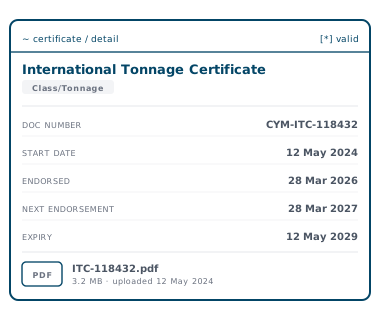
Document number, dates, endorsements, attachment.
Each certificate captures the document number, issue and expiry dates, and the certificate PDF. Endorsement dates tracked alongside issue and expiry.
- ✓Issue and expiry dates
- ✓Endorsement window per certificate, with endorsements and supplements filed alongside
- ✓Document number and PDF attachment
- ✓Status auto-calculated from the dates above
~await contact_initiation
See it on your fleet.
A 30-minute walk-through with the team. No slides — the platform on your fleet's data.
Book a demo →